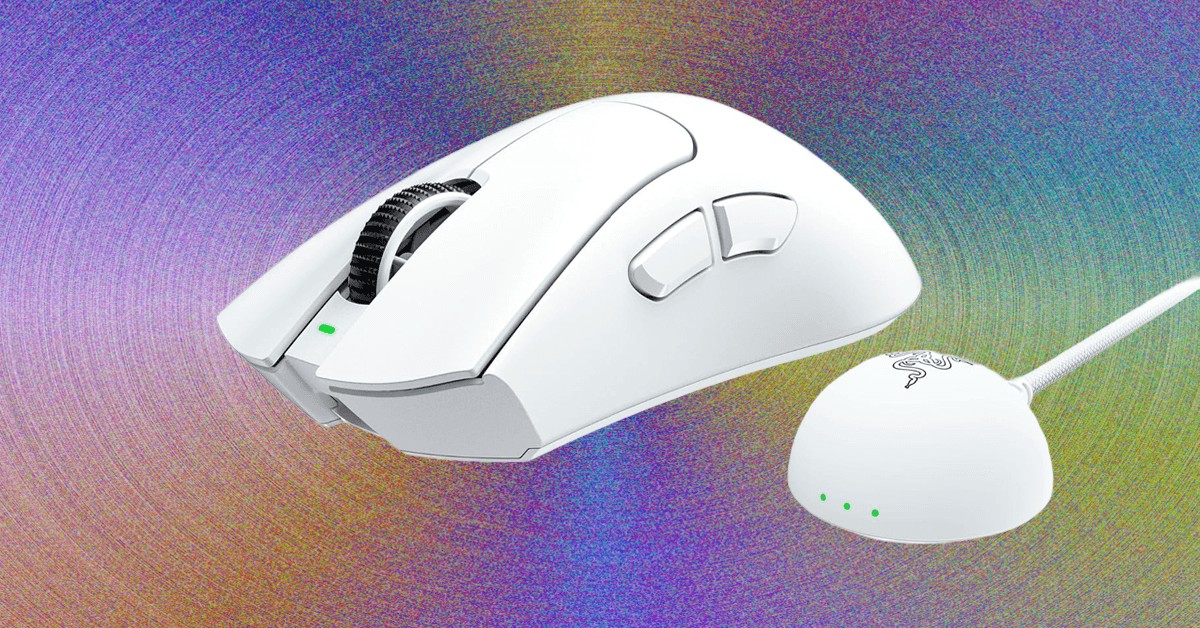
For nearly two decades, the Razer DeathAdder has been a mainstay in the gaming peripheral world. The latest iteration, the V4 Pro, isn’t just another refresh—it’s a showcase of how far mouse technology has advanced. While specs alone don’t define performance, Razer has integrated cutting-edge hardware with an emphasis on user experience.
The Evolution of Gaming Mice
The original DeathAdder debuted in 2006, and since then, its core shape has remained consistent while its internal components have been radically upgraded. Weight has been halved, polling rates increased eightfold, and DPI has skyrocketed twenty-five times over. This evolution highlights a key trend: raw specs matter less than how they translate into tangible improvements for the user.
Performance vs. Feel: The Core Difference
Higher polling rates (up to 8,000Hz) and improved sensors are impressive on paper, but the real difference lies in how a mouse feels. A responsive switch, a comfortable grip, and a well-balanced design have a more direct impact on gameplay than marginal gains in latency. The DeathAdder V4 Pro prioritizes this balance. The buttons are crisp with minimal travel, the scroll wheel provides tactile feedback, and the sculpted shape offers agility without sacrificing comfort.
This approach contrasts with some competitors, such as Logitech’s MX Master line, which prioritizes ergonomics over gaming precision. The V4 Pro strikes a middle ground, delivering high performance without sacrificing usability. The matte plastic texture provides grip without abrasion, though it may show oil buildup over time.
Wireless Convenience and Customization
The V4 Pro’s wireless design features a USB-C dongle—a necessity for high-polling rates. Razer has improved the dongle’s design, adding programmable RGB lights to display connection quality, battery level, or DPI settings. This is a practical addition, turning a previously cumbersome component into a functional tool.
Razer Synapse software offers extensive customization, allowing users to adjust DPI, button mapping, and polling rates. More advanced options include lift-off distance adjustments and dynamic sensitivity curves. The software presents these settings in a user-friendly manner, explaining each function and providing sensible default values. This level of personalization ensures the mouse adapts to the user, rather than the other way around.
Under the Hood: Complexity and Reliability
Disassembling the V4 Pro reveals a surprisingly complex internal structure. Unlike many mice with a single PCB, this model uses three separate boards—one for the sensor and battery, one for the scroll wheel and main buttons, and one for the side buttons. This design reduces the risk of mechanical failures associated with hinged linkages found in simpler mice.
While disassembly is challenging, the components are well-protected and unlikely to fail prematurely. The battery is easily replaceable, and the overall construction suggests a focus on durability.
Battery Life and Minor Bugs
The V4 Pro’s battery life is a trade-off for its high performance. While usable at 1,000Hz polling, the 8,000Hz rate drains the battery quickly. The dongle’s LED indicator helps monitor power levels, but a bug causes random low-battery alerts even at high charge.
Conclusion
The Razer DeathAdder V4 Pro is a culmination of years of refinement. Its combination of top-tier specs, ergonomic design, and extensive customization options makes it a standout gaming mouse. While not flawless, its strengths far outweigh its weaknesses, making it a compelling choice for both competitive gamers and casual users seeking a high-performance, adaptable peripheral.