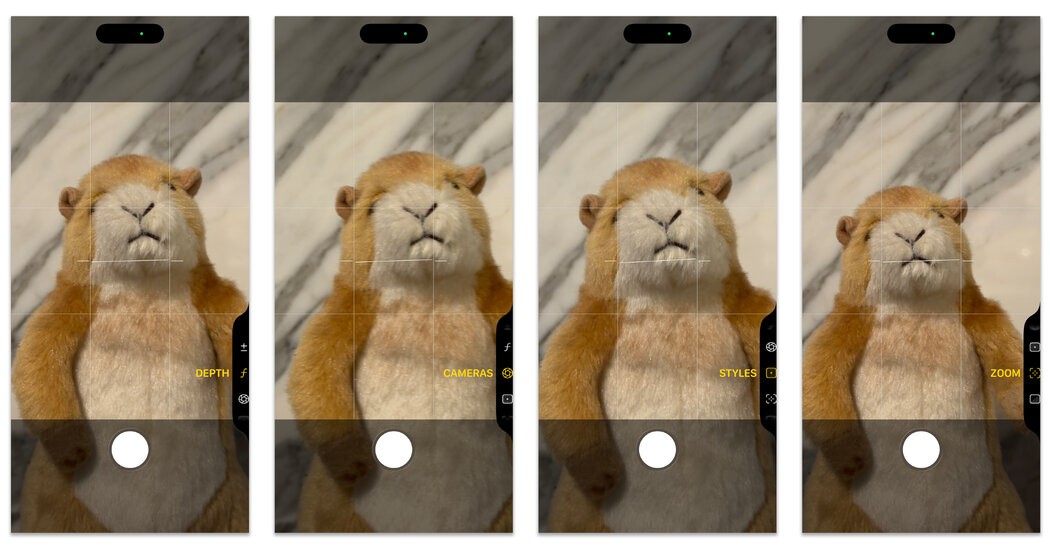
Smartphone cameras have evolved dramatically since the early days of mobile photography. Today’s high-end devices feature multiple lenses and sensors exceeding 200 megapixels, paired with increasingly sophisticated software powered by artificial intelligence. This rapid development means even experienced users may struggle to unlock the full potential of their camera.
This guide outlines how to navigate the advanced features available on modern smartphones, focusing on practical controls rather than technical jargon. The options described here vary by manufacturer, but the core principles remain consistent. For example, an iPhone 17 Pro Max or Google Pixel 10 Pro will offer many of the same tools, though organized differently.
Understanding Camera Modes
Most smartphone cameras offer a range of shooting modes beyond basic photo and video. These include:
- Pro/Manual Mode: Allows precise control over settings like ISO, shutter speed, white balance, and focus. This is essential for challenging lighting conditions or creative effects.
- Night Mode: Uses computational photography to combine multiple exposures, significantly improving low-light performance. The technology has advanced to the point where night mode can now produce clear, detailed images even in near-darkness.
- Portrait Mode: Creates a shallow depth of field effect, blurring the background to emphasize the subject. AI algorithms now accurately separate foreground and background, even with complex hair or edges.
- Video Modes: High-resolution video recording (4K, 8K) is standard, with features like cinematic stabilization, HDR capture, and slow-motion options. Some phones also include specialized modes for time-lapse or hyperlapse.
Leveraging AI Features
Artificial intelligence is now integral to smartphone cameras. Key AI-powered features include:
- Scene Detection: Automatically recognizes and optimizes settings for various subjects (landscapes, portraits, food, etc.).
- Object Tracking: Maintains focus on a moving subject, ensuring sharp images even with unpredictable movement.
- Computational HDR: Combines multiple exposures to produce images with wider dynamic range, reducing blown-out highlights and crushed shadows.
- Super Resolution Zoom: Uses AI to enhance detail when zooming beyond optical limits, minimizing the degradation of image quality.
Customizing Camera Settings
Fine-tuning your camera’s settings can further improve results:
- Gridlines: Enable gridlines to aid composition, ensuring balanced and visually appealing shots.
- HDR Control: Manually adjust HDR settings to balance detail retention